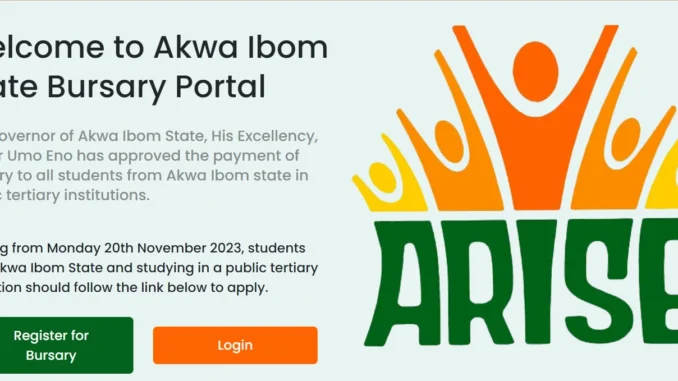
The Akwa Ibom State Students’ Bursary provides financial support to eligible indigenes of the state studying in recognized institutions. For students who depend on the bursary to ease education-related expenses, seeing a rejected bursary application can be worrying.
However, a rejection does not always mean that an applicant has permanently lost the opportunity to receive support. In some cases, the problem may involve incorrect personal details, an academic record mismatch, incomplete information, document issues, or a verification problem.
If your application has been rejected, the most important thing is to identify the exact reason before taking further action. This guide explains how to check the rejection status, identify common problems, correct genuine errors, contact the appropriate authority, and avoid mistakes that could affect your application.
What Does Akwa Ibom State Bursary Rejection Mean?
A bursary application may be rejected when it does not satisfy a requirement or when the information submitted cannot be successfully verified.
The status shown on the bursary portal can provide an important clue. Depending on the application system, students may encounter statuses such as:
- Rejected
- Pending
- Under Verification
- Incomplete
- Returned for Correction
- Not Eligible
- Verification Failed
- Document Error
- Institution Not Verified
These statuses should not be treated as identical.
For example, an application that is pending verification may still be under review. An application returned for correction may also require an applicant to fix a specific problem. On the other hand, a rejection based on a genuine eligibility condition may not be something that can simply be corrected.
Therefore, students should first determine what the status actually means and whether a specific reason has been provided.
Why Was My Akwa Ibom State Bursary Application Rejected?
There is no single reason that applies to every rejected application. Problems can occur because of information entered by the applicant, documents submitted, institutional records, or the verification process.
Here are some of the common issues students should check.
1. Incorrect Personal Information
Small errors in personal information can create verification problems.
Check the details you submitted, including:
- Full name
- Date of birth
- Phone number
- Email address
- State
- Local Government Area
Compare these details with your official records and the information required by the bursary programme.
2. Name Mismatch
A difference in the way your name appears across documents can sometimes require clarification.
For example, your school record may contain one arrangement of your names while your bank account or identification document uses another.
Do not change official documents to make them match. Instead, determine which information is correct and follow the authorized procedure for resolving the discrepancy.
3. Wrong Local Government Area
If the application requires Local Government information, make sure the LGA entered is correct and consistent with your relevant documentation.
An incorrect LGA may affect verification, particularly where indigene status is part of the eligibility assessment.
4. Incorrect Institution Details
Students should carefully check the institution selected during registration.
A wrong institution, campus, programme or institution category can prevent the application from being matched with the correct student record.
If you notice that the wrong institution was selected, do not immediately create another application. First check whether the portal provides a correction option or whether the bursary authority has issued instructions for handling such errors.
5. Wrong Matriculation Number
Your matriculation number can be an important identifier during institutional verification.
Entering one wrong letter or number may prevent the system from matching your application with your school record.
Students should obtain the number directly from an official school source, such as the student portal, school ID card or academic record.
Pay particular attention to characters that can easily be confused, such as 0 and O or 1 and I.
6. Incorrect Course or Department
The course entered on your application should correspond with your current academic record.
For instance, if your official school record shows B.Sc. Economics, entering B.Sc. Accounting could create a mismatch.
Students whose programmes have changed should first confirm that their institution has updated their official records before attempting to resolve the bursary issue.
7. Wrong Academic Level
Applicants should provide the academic level applicable to the bursary exercise.
Do not select a higher level simply because you expect to progress to it later.
If there is uncertainty about the correct level to enter, students should check their official school record and the current bursary requirements.
8. Incomplete Application
An application may encounter problems when required sections have not been completed.
Before submission, review areas such as:
- Personal information
- Academic information
- Institution details
- Contact information
- Identification details
- Banking information, where required
- Supporting documents
A missing required field can prevent an application from passing the relevant checks.
9. Poor-Quality Documents
Documents uploaded to a bursary portal need to be readable.
Problems can occur when a document is:
- Blurred
- Cropped
- Too dark
- Incomplete
- Illegible
- Incorrectly oriented
- Uploaded in an unsupported format
Before uploading documents, ensure that the important information is clearly visible.
10. Wrong Document Uploaded
Another possible problem is submitting the wrong document in a required field.
For example, an applicant may accidentally upload a school ID where another document was required.
Review every uploaded file carefully before submitting the application.
11. Institution Verification Problems
Not every bursary problem is caused by the student.
The institution may need to verify information such as the applicant’s:
- Student status
- Matriculation number
- Course
- Academic level
- Academic session
If the information held by the institution does not match the application, verification may fail even when the student believes the application was completed correctly.
12. Indigene Verification Issues
Where proof of Akwa Ibom State indigene status is required, applicants should ensure that the relevant documentation is genuine, readable and consistent with the information supplied.
A missing document, incorrect LGA or information mismatch may create verification difficulties.
13. Incorrect Bank Information
Where banking information is required for bursary payments, applicants should carefully check:
- Account number
- Bank name
- Account holder name
A wrong account number or significant name discrepancy may cause payment or verification problems.
How to Check the Exact Reason for Your Bursary Rejection
Before attempting to correct anything, find out why your application was rejected.
Log into the official bursary platform using the credentials associated with your application and check your current application status.
Look for:
- The rejection reason
- Query messages
- Correction instructions
- Missing document notifications
- Verification comments
- Application reference number
If a rejection message is displayed, save a screenshot or keep a copy of the notification.
This is important because the correct solution depends on the actual reason given by the bursary administration.
Do Not Create Another Application Immediately
One of the biggest mistakes students can make after seeing a rejection is immediately submitting another application.
Unless the official bursary authority specifically instructs applicants to create a new application, first determine whether the existing application can be corrected or reviewed.
Creating duplicate applications could result in conflicting records and make verification more difficult.
Step-by-Step Guide to Resolving an Akwa Ibom State Bursary Rejection
Once you have identified the issue, use the following process.
Step 1: Read the Rejection Message
Read the exact wording of the notification.
A message indicating invalid student information requires a different response from a message indicating document verification failed.
Do not rely on assumptions.
Step 2: Compare Your Application With Your Official Records
Check the submitted information against your:
- Student portal
- School ID
- Admission documents
- Academic records
- Matriculation records
- Indigene documentation
- Identification documents
Look for differences in names, numbers, course, institution and academic level.
Step 3: Correct the Error if Editing Is Available
If the official bursary platform provides an edit or correction option, use it.
Enter the correct information carefully and ensure that the changes are saved.
Step 4: Replace Incorrect Documents
If the problem concerns an uploaded document and the portal allows replacement, upload the correct document.
Make sure it is genuine, complete and readable.
Step 5: Resubmit the Application if Required
Some systems may require applicants to resubmit after making corrections.
Follow the instructions displayed on the official platform rather than assuming that every correction is automatically submitted.
Step 6: Contact the Appropriate Authority
If you cannot make the required correction through the portal, use the official support or enquiry channel provided by the bursary administration.
Give enough information to help them identify your application.
You may need to provide:
- Full name
- Application reference number
- Institution
- Matriculation number
- Rejection reason
- Brief explanation of the issue
Only provide additional personal information when it is specifically required.
How to Fix Common Bursary Rejection Messages
“Invalid Student Information”
Review your name, institution, matriculation number, course, department and academic level.
Compare each detail with your official school records.
“Student Not Found”
This can occur when the information supplied cannot be matched with the relevant institutional record.
Check your matriculation number and institution selection. If the information is correct, contact your institution to confirm that your student record is properly captured and available for verification.
“Institution Not Verified”
Confirm that the correct institution and relevant programme information were selected.
If your information is correct, the issue may require clarification from your institution or the bursary administration.
“Invalid Course of Study”
Check your course against your official student record.
Do not select another course simply because you believe it will improve your chances of approval.
“Invalid Level”
Confirm your current academic level using your official school record and the requirements of the bursary exercise.
“Document Verification Failed”
Check whether the uploaded document is clear, complete, correct and belongs to you.
If the portal permits document replacement, upload the correct version through the official procedure.
“Indigene Verification Failed”
Review your proof of indigene status and the information entered on the application.
If you believe the information is correct but verification has failed, seek clarification through the appropriate official channel.
“Duplicate Application”
Do not create another application.
If you believe the duplicate status is an error, contact the official bursary support channel and provide the relevant application references when requested.
What If the Bursary Portal Does Not Allow Corrections?
Some application systems may lock information after final submission.
If your application has been rejected but there is no option to edit it, do not try to bypass the system.
First check whether the bursary administration provides:
- A correction procedure
- An appeal process
- A helpdesk
- An official email
- A reopening procedure
- A physical enquiry office
Use only the channels provided by the responsible authority.
What If the Problem Is From Your Institution?
A bursary application may be correct while the institution’s records contain outdated or inconsistent information.
For example, your application may contain your current course and level while the institution’s submitted record still contains an earlier programme.
In such a case, correcting the bursary application alone may not resolve the problem.
Contact the Appropriate School Office
Depending on the institution, you may need to contact:
- Student Affairs Division
- Academic Affairs Office
- Students’ Records Unit
- Registrar’s Office
- ICT Directorate
- Scholarship or Bursary Office
- Dean of Students’ Affairs
Ask the appropriate office to confirm that your student information is accurate.
You can specifically ask whether your name, matriculation number, course, department, level, academic session and student status are correctly reflected in the school’s records.
What If Your School Has Not Verified Your Record?
If your institution is responsible for submitting or confirming student information, the bursary issue may need to be resolved at the institutional level.
Instead of making assumptions, ask the appropriate office whether your student information has been verified or submitted for the bursary exercise.
Keep any official confirmation you receive.
How to Appeal an Akwa Ibom State Bursary Rejection
Correction and appeal are not necessarily the same thing.
A correction is appropriate when information was entered incorrectly and can be amended.
An appeal may be appropriate when you believe the rejection resulted from an administrative or verification error and you have evidence supporting your position.
Before submitting an appeal, confirm that the bursary programme provides an appeal or review procedure.
Step 1: Establish Why You Are Appealing
A reasonable basis for an appeal could include:
- Your information was correct but could not be verified.
- Your institution confirmed your student status.
- A document was incorrectly rejected.
- An administrative error appears to have affected your application.
- You have evidence supporting your eligibility.
Step 2: Gather Supporting Evidence
Depending on the issue, relevant documents may include:
- Application acknowledgement
- Application reference
- Student ID
- Admission document
- Matriculation evidence
- School portal record
- Indigene documentation
- Identification document
- Rejection notification
- Relevant official correspondence
Only submit documents requested by the appropriate authority.
Step 3: Explain the Problem Clearly
Keep your appeal factual and concise.
State your application reference, the rejection reason, why you believe the decision should be reviewed, and the evidence available.
Avoid emotional or threatening language.
Step 4: Submit Through the Official Channel
Use the appeal procedure specified by the bursary authority.
Do not send sensitive documents to random social media accounts or unofficial agents.
Step 5: Keep Proof of Submission
Save the appeal confirmation, email, reference number, screenshot and date submitted.
These records can help when following up on the matter.
What If Your Appeal Is Not Answered?
Give the responsible authority reasonable time to process the request based on any official timeline provided.
During this period, continue checking your application portal, email and phone.
If no response is received after the relevant period, follow up through the same official channel and quote your original application or appeal reference.
Repeated messages to different unofficial contacts are unlikely to improve the situation.
What If My Bursary Was Approved but I Have Not Been Paid?
Approval and payment may represent different stages of the process.
If your application shows an approved status but you have not received payment, first check whether the portal provides payment information.
You should also verify your:
- Account number
- Bank name
- Account holder name
If the details are correct and payment remains outstanding, contact the designated official support channel.
Do not pay anyone who claims they can release the money for you.
How to Handle a Bank Name Mismatch
If your bank account name differs from the name used in your application, do not enter false information simply to make the details match.
Determine the reason for the discrepancy and follow the authorized procedure for resolving it.
If the issue involves an outdated bank record or name change, you may need to resolve the matter directly with your bank and provide supporting evidence where officially required.
How to Protect Yourself From Bursary Scams
Students seeking help with rejected applications can become targets for fraud.
Be cautious of anyone who claims:
- They can guarantee bursary approval.
- They can remove a rejection for a fee.
- They can release your bursary payment.
- They have an insider at the bursary office.
- You must pay before your application can be reviewed.
- You must provide an OTP to receive your bursary.
Do not pay unofficial agents to manipulate your application.
Never share your:
- Bank PIN
- ATM PIN
- Mobile banking password
- OTP
- Card security details
- Bursary account password
Use official government channels when seeking assistance.
What If the Bursary Portal Is Not Working?
A technical problem does not necessarily mean your application has been rejected.
For example, you may be unable to:
- Log in
- Upload a document
- Save information
- Submit an application
- View your status
Before assuming there is a problem with your eligibility, try basic troubleshooting.
- Check your internet connection.
- Refresh the page.
- Use an updated browser.
- Clear your browser cache if necessary.
- Try again later if the portal is experiencing heavy traffic.
- Check the required document format and file size.
- Save screenshots of persistent errors.
- Contact official technical support if available.
Avoid repeatedly clicking the submission button when the portal appears frozen.
What If You Forgot Your Password?
Use the official password recovery option provided by the bursary platform.
Do not give your login details to another person claiming to be able to recover the account for you.
What If You Lost Your Application Number?
Search your registration email, SMS messages, acknowledgement document, screenshots and downloaded files.
If the number cannot be found, use the official recovery or support procedure provided by the bursary platform.
Provide only the information required to verify your identity.
How to Prevent Your Akwa Ibom Bursary Application From Being Rejected
The best way to deal with a rejection is to reduce the chance of making an avoidable mistake in the first place.
Check Your Personal Details
Confirm your:
- Full name
- Date of birth
- Phone number
- Email address
- State
- Local Government Area
Check Your Academic Details
Confirm:
- Institution
- Course
- Department
- Faculty
- Matriculation number
- Academic level
- Academic session
Check Your Documents
Before uploading each document, make sure it is:
- Genuine
- Clear
- Complete
- Correct
- Uploaded in the appropriate field
Check Your Banking Details
Where bank information is required, verify the account number, bank name and account holder details before submission.
Save Your Application Records
Take screenshots of important stages, including:
- Completed application
- Uploaded documents
- Final review
- Submission confirmation
- Application number
- Application status
These records can be useful if you later need to investigate a verification problem.
Bursary Rejection Resolution Checklist
Before contacting the bursary administration, check the following:
Personal Information
Full name is correct.
Date of birth is correct.
Phone number is active.
Email address is active.
Local Government Area is correct.
Academic Information
Institution is correct.
Course is correct.
Department is correct.
Matriculation number is correct.
Academic level is correct.
Academic session is correct.
Documents
Required identification document is available.
Indigene documentation is available where required.
Academic documents are correct.
Documents are readable.
Documents belong to the applicant.
No document has been altered.
Rejection and Follow-Up
Exact rejection reason has been identified.
Screenshot of the rejection status has been saved.
Application reference is available.
Correction has been submitted where permitted.
Appeal has been submitted where applicable.
Official responses have been saved.
Frequently Asked Questions About Akwa Ibom State Bursary Rejection
Why was my Akwa Ibom State bursary application rejected?
A bursary application can be rejected for several reasons, including incorrect information, incomplete documentation, failed verification, institutional record discrepancies or failure to satisfy an eligibility requirement. The exact reason displayed on the application portal should be checked first.
Can I reapply after my bursary application is rejected?
That depends on the rules of the particular bursary exercise. Do not submit a new application unless the official instructions permit or require you to do so.
What should I do if I entered the wrong matriculation number?
Confirm your correct matriculation number using your official school records. If the portal provides a correction option, update the information through the authorized process. If not, contact the appropriate official support channel.
What if my school records are incorrect?
Contact the relevant administrative office at your institution and request correction of the affected record. This may be necessary before the bursary application can be successfully verified.
Can I appeal a bursary rejection?
You may be able to appeal if the bursary programme provides an official review or appeal process. Check the current instructions before submitting an appeal.
Should I create another application after being rejected?
Not automatically. First determine whether your existing application can be corrected or reviewed. Creating duplicate applications without official instruction could cause additional verification problems.
What if my application has been pending for a long time?
Check the official portal and any available communication for a processing timeline. If no useful update is provided, contact the designated support channel using your application reference.
What if I accidentally uploaded the wrong document?
If the portal allows corrections, replace it with the correct document. If editing is unavailable, contact the official support channel and explain the mistake.
What if my bursary has been approved but I have not received payment?
Check your payment status and banking information. If everything is correct and payment remains outstanding, contact the appropriate official bursary support channel.
Should I pay someone to fix my rejected bursary application?
No. Avoid unofficial agents who promise to guarantee approval, remove a rejection or release payment in exchange for money.
Can I use another person’s document if mine is unavailable?
No. Only submit genuine documents that belong to you and satisfy the programme’s requirements.
Final Advice to Akwa Ibom State Students
If your Akwa Ibom State bursary application has been rejected, do not panic and do not immediately submit another application.
Start by checking the exact status and rejection reason. Then compare the information you submitted with your official academic, identity and banking records.
If you find an error, correct it through the authorized procedure. If the problem comes from your institution, contact the appropriate school office. If you believe an administrative error caused the rejection, use the official appeal or review process if one is available.
Most importantly, do not attempt to solve a bursary rejection by altering documents, submitting false information, creating unnecessary duplicate applications or paying unofficial agents.
The safest approach is simple: check the status, identify the problem, verify your records, correct genuine errors, submit the required evidence and follow up through official channels.
Conclusion
A rejected Akwa Ibom State bursary application does not always mean that a student has no further option. Some problems can result from simple information mismatches, incomplete applications, document errors or verification issues that may be addressed through the appropriate process.
The first priority should always be identifying the exact reason for the rejection. From there, students can determine whether they need to correct their application, contact their institution, replace a document, request clarification or pursue an official review.
Students should also keep records of their application reference, rejection notification, corrections and correspondence throughout the process.
Above all, use accurate information, genuine documents and official channels. Avoid anyone who promises guaranteed approval or asks for money or banking security details in exchange for fixing your bursary application
Be the first to comment